
SNMPc Enterprise - Features:
- Overview
- Scalability
- Reliability
- Console Options
- Network Mapping
- Monitoring
- SNMP Views
- Trend Reporting
- Customization
- Programming
Actions:
SNMPc Enterprise
Advanced Network Mapping
SNMPc Enterprise supports a multi-level hierarchical map. Each hierarchy can represent cities, buildings, or subnetworks. Imported bitmaps of geographic maps or floor plans, along with manual or automatic network placement, lets you create a layout that closely matches the actual network.
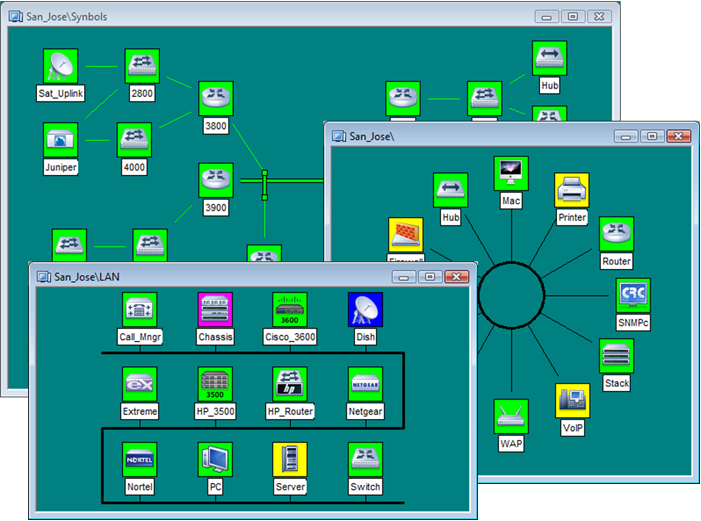
SNMPc Enterprise can automatically lay out each map network as a tree, ring, or bus topology. Each map object uses a device specific or user selected icon, and the object color indicates the device status. You can start any device specific application by double clicking map icons.
The Map Navigation Tool Window displays the map as a tree for direct selection of objects. The Navigation tree also displays the current alarm status of each subnet to quickly locate failing devices.
The map window Full Zoom feature automatically moves and zooms the view so that all devices are always visible in the window. The Pan/Zoom feature lets you select a region to zoom into from the complete set of devices in a view.